
Rich Communication Services (RCS) is an advanced messaging protocol that enhances traditional SMS with multimedia capabilities, interactive features, and better engagement opportunities. Conversive enables businesses to leverage RCS for enriched customer interactions. This document explains how to use RCS effectively in Conversive.
What is RCS?
RCS provides features such as:
Multimedia messaging: Send images, videos, and audio files.
Interactive buttons: Enable customers to respond using pre-defined actions.
Rich cards: Share information in visually appealing formats.
Delivery receipts: Know when messages are delivered and read.
Sending RCS Messages
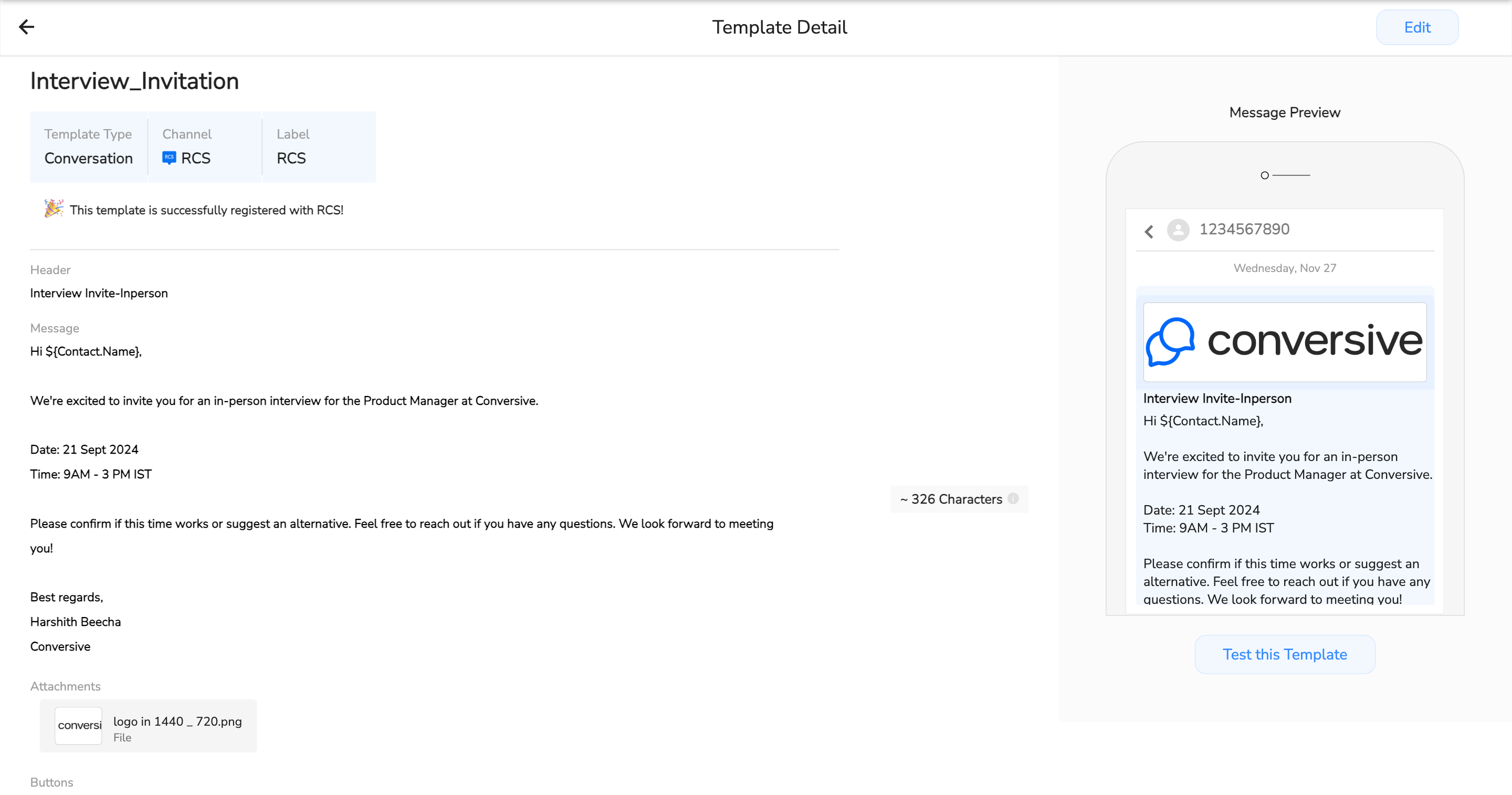
Create a Message Template:
Navigate to the Templates section in Conversive.
Select RCS Template.
Add elements such as:
Text: The core message content.
Media Files: Upload images, videos, or GIFs.
Action Buttons: Define actions like "View Details," “Call Now,” or "Buy Now.”,or "Learn more"
Rich Cards: Use pre-designed layouts to share detailed information.
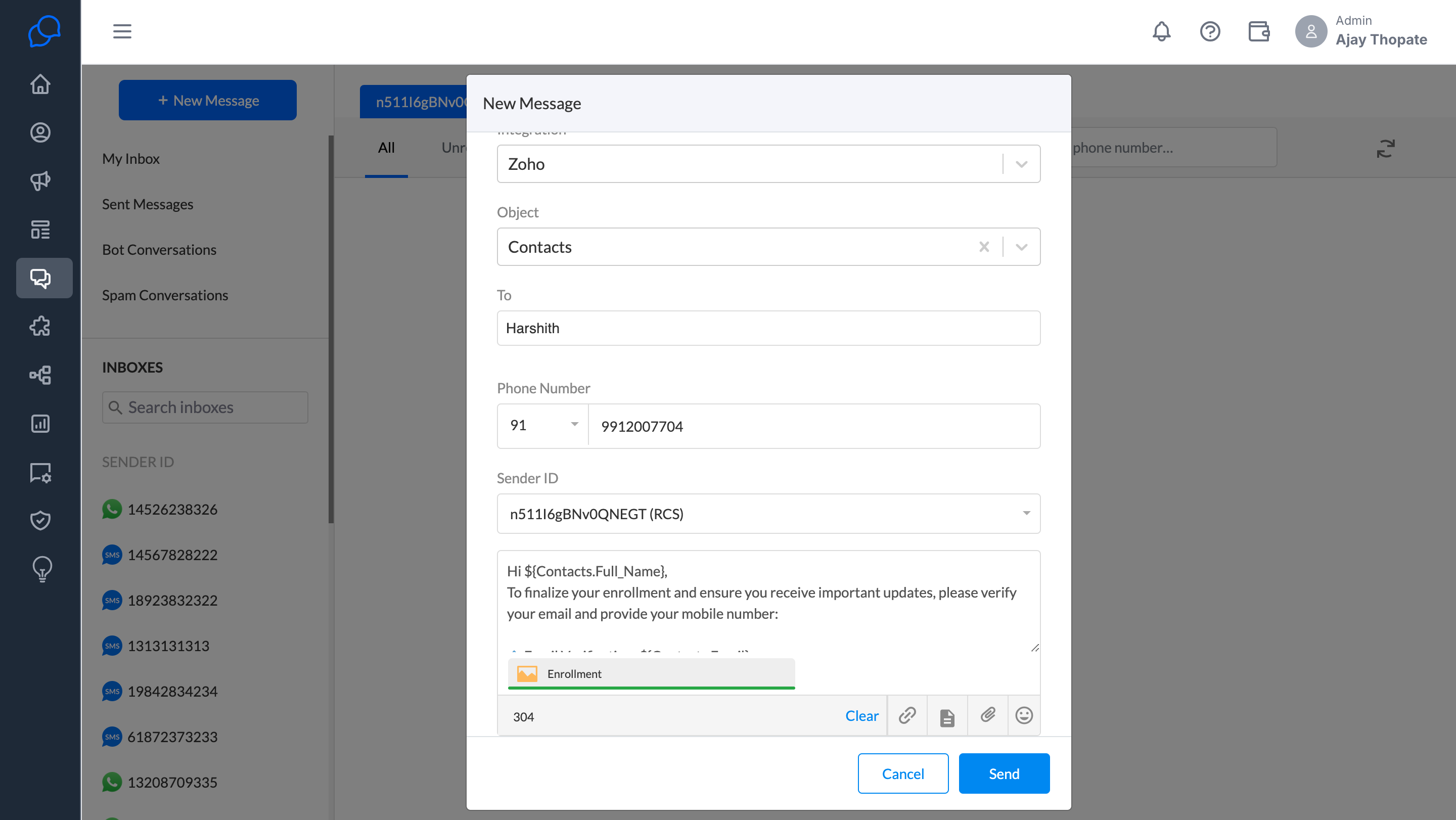
Send Messages:
Select your RCS-enabled contacts.
Choose an RCS template or create a custom message.
Send the message directly through Conversive.
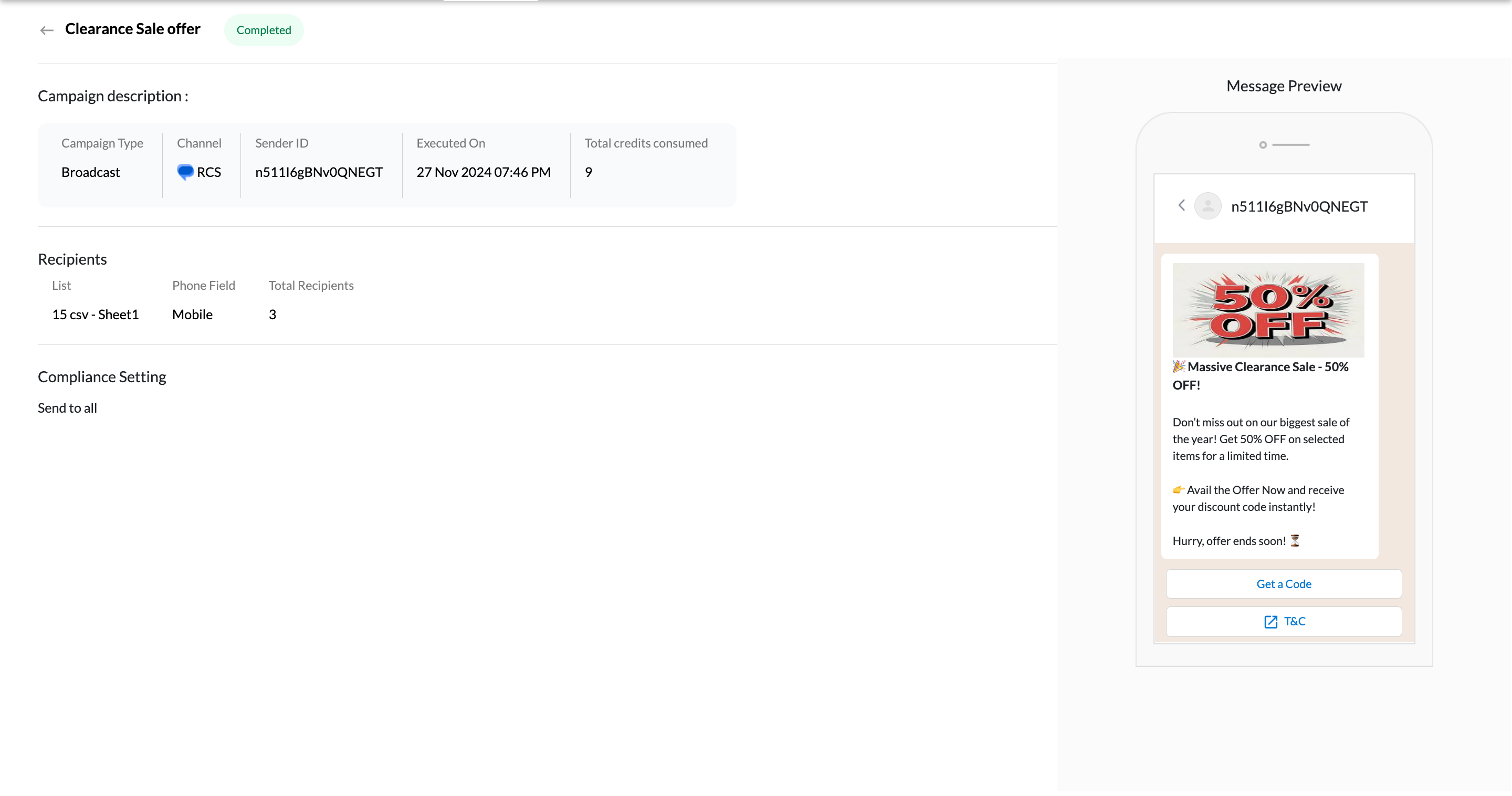
RCS is a powerful tool for running campaigns, allowing you to deliver rich, interactive content to a large audience. Here’s how to do it:
1. Create Your Campaign
Go to the Campaigns section in Conversive.
Select RCS Campaign.
Define your audience by uploading a contact list or selecting an existing segment.
Choose or create an RCS template for your campaign message.
2. Schedule or Send
Immediate Send: Send the campaign to your audience right away.
Schedule for Later: Pick a date and time for your campaign to go live.
Send Out Automation
Set Up Automated Messages with RCS
Go to the Automation library section in Conversive.
Define a trigger, such as:
A new lead being created.
A customer action (e.g., filling out a form or making a purchase).
2. Design Your Workflow
Add RCS Messages: Include RCS messages in your workflow to send rich, interactive content.
Set Conditions: Customize when and to whom RCS messages are sent based on customer actions or preferences.
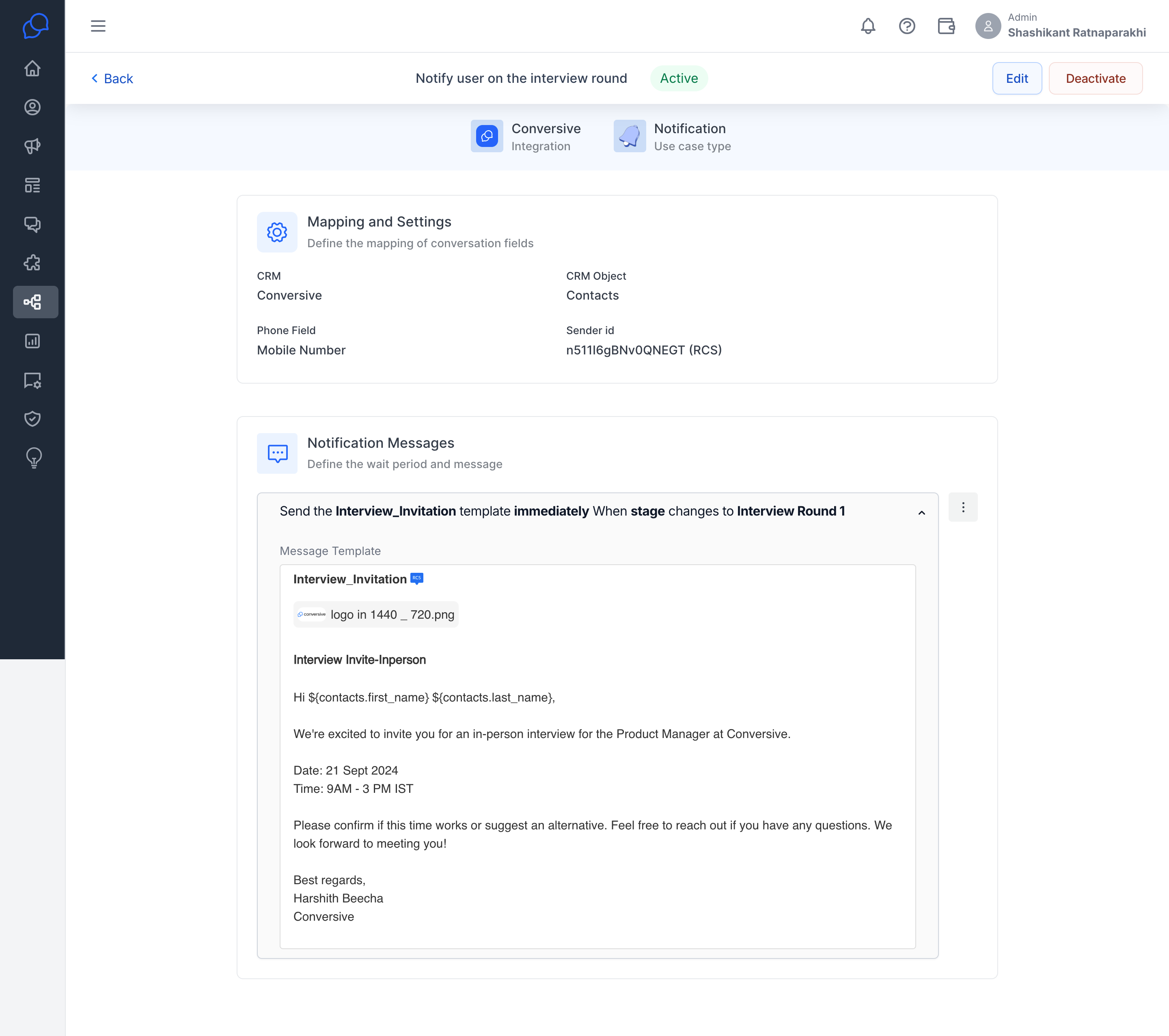
Examples of Automated RCS Workflows
Lead Nurturing:
Automatically send product details with images and a “Learn More” button to new leads.Event Notifications:
Notify your customer of the upcoming event and offers with location and features.
Appointment Reminders:
Remind customers about upcoming appointments with a confirmation button.
Key Use Cases for RCS
Promotional Campaigns:
Use rich media to showcase new products or services.
Include action buttons to drive purchases or registrations.
Customer Support:
Enable interactive responses for troubleshooting or FAQs.
Share step-by-step guides with images or videos.
Appointment Scheduling:
Send reminders with options to confirm, reschedule, or cancel.
Include a calendar view for better scheduling.
Order and Delivery Updates:
Notify customers with real-time updates on their orders.
Share delivery tracking links via interactive buttons.
