
How Can I View and Manage My Message History?
A clean tabular representation for all your messages. Track your incoming and outgoing messages in the Message History section.
drop-down with ease. We have added a few other tweaks to it too!
This feature will be unavailable for usage if you opt-in for HIPAA Compliance. For more information contact care@beconversive.com
6 months of previous Message History can be viewed and filtered. For archived data please get in touch with care@beconversive.com
You can view the Incoming and Outgoing Messages Report under the respective tabs for SMS and WhatsApp channel.
You can see more details for each outgoing and incoming record in the Report, by clicking on the Info icon in the Details column.
SMS History
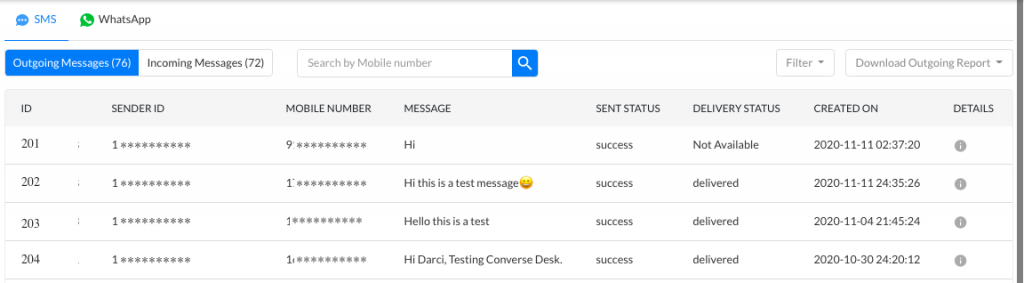
Few details available for Outgoing SMS Messages are –
Id | Outgoing Message Identifier |
Mobile Number | Recipient’s Mobile Number |
Sender Id | Sender ID used to send this message |
CreatedOn | The date and time the message was sent |
Text | Text of the Message sent |
MMS Media | View the Media file in the sent message if the message type is MMS |
Sent Status | Sent status of the message from SMS-Magic Platform |
Delivery Status | Delivery status of the message as received from the Message Provider |
Credits | Number of Message Credits consumed in sending this message |
Push Status | The status of message sync with the connected CRM. |
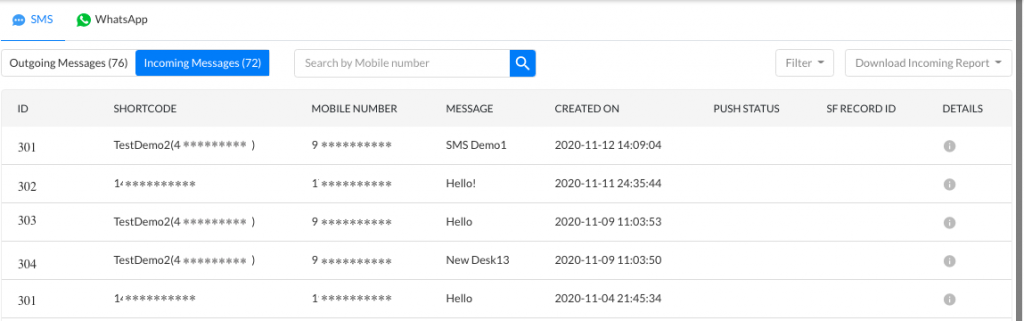
Few details available for Incoming SMS Messages are –
Id | Incoming Message Identifier |
Mobile Number | Recipient’s Mobile Number |
Shortcode | Sender ID / Incoming Number on which the message is received. |
Message | Text of the Message received |
CreatedOn | The date and time the message was received |
Push Salesforce Status | The status of message sync with the connected CRM. |
MMS Detail | View the Media file in the received message if the message type is MMS |
WhatsApp History
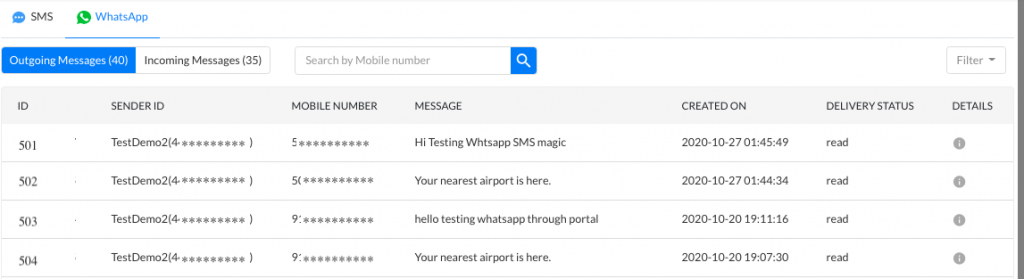
Few details available for Outgoing WhatsApp Messages are –
Id | Outgoing Message Identifier |
Mobile Number | Recipient’s Mobile Number |
Sender Id | Sender ID used to send this message |
CreatedOn | The date and time the message was sent |
Message / Caption | Text of the Message sent |
Attachment | View the Media file in the sent message |
Sent Status | Sent status of the message from SMS-Magic Platform |
Delivery Status | Delivery status of the message as received from the Message Provider |
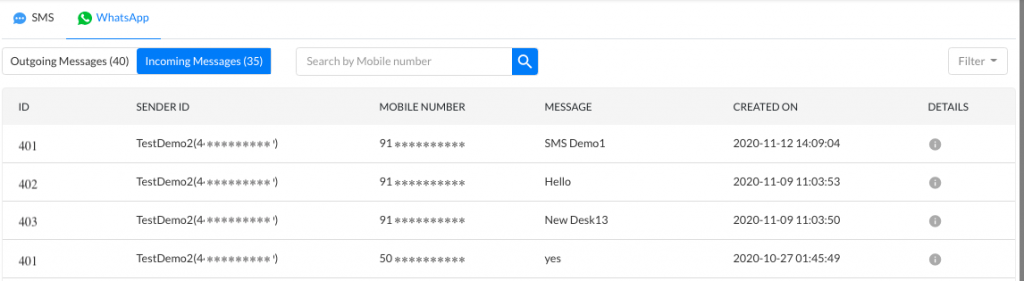
Few details available for Incoming WhatsApp Messages are –
Id | Incoming Message Identifier |
Mobile Number | Recipient’s Mobile Number |
Sender ID | Sender ID / Incoming Number on which the message is received. |
Message | Text of the Message received |
Attachment | View the Media file in the received message |
CreatedOn | The date and time the message was received |
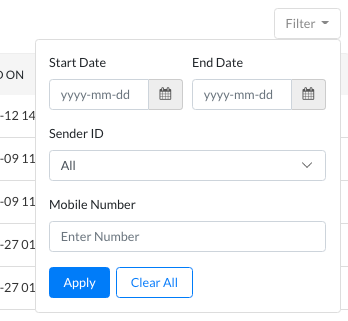
Filter Messages
You can filter Outgoing / Incoming SMS Messages Report based on-
Start and End Date
Mobile Number
SMS/MMS
You can filter Outgoing / Incoming WhatsApp Messages Report based on-
Start and End Date
Sender ID
Mobile Number
Search Messages
You can search the Outgoing / Incoming SMS and WhatsApp Messages Report using the Mobile Number of Recipient. Enter 8 or more digits to search. Click Enter or click on the search icon, to begin the search.
Note: Currently, you can only download SMS and Facebook History reports.
