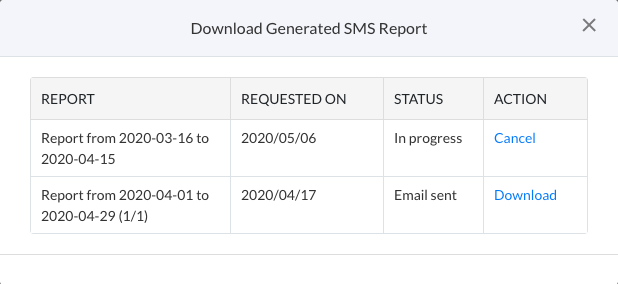
How do I Download my Message History report?
You can generate and download monthly message history reports and receive those on your registered email address. Outgoing and Incoming message history reports are generated separately.
Note: Currently, you can only download SMS and Facebook History reports.
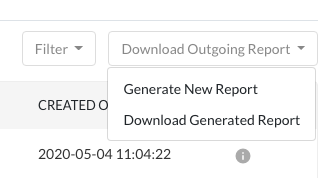
You can follow the below steps to generate message history reports-
Click on Download Outgoing/Incoming Report
Click on Generate New Report
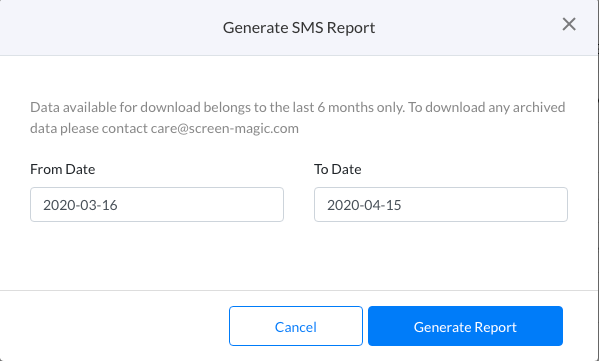
Select the Time period for which you wish to download the Message History Report
Click on Generate Report
Once the Report is Generated, it will be sent to your registered email address and will also be available for download
At a time, you can generate a report over a period of 1 month. To generate more reports, change the time period while repeating the steps above.
You can follow the below steps to download message history reports-
Click on Download Outgoing/Incoming Report
Click on Download Generated Report
All the so far Generated Reports will be listed
Click on the Download link for the Report you wish to download