
How Conversation Flows Capture Information?
Conversation flows are structured to naturally collect essential consumer information as part of the interaction process. By integrating prompts and forms within these flows, businesses can gather data without disrupting the engagement.
How Automated Flows Assist in Lead Qualification
Automated conversation flows are equipped with algorithms to assess the quality of leads based on interaction data and predefined criteria, effectively scoring and qualifying leads for further engagement.
Automation of Data Capture for SMS and WhatsApp
SMS and WhatsApp Integration: When a conversation is initiated via SMS or WhatsApp, the system automatically uses the activated flow to request and capture information like name, contact details, and specific needs or inquiries.
Consent Verification: Ensure that all data capture via SMS and WhatsApp includes a step for users to consent to share their information, aligning with data protection standards.
CRM Integration and Lead Synchronization
Integrating your CRM with Conversive is a strategic move to streamline and enhance your lead management process. This integration not only automates the capture of leads via webforms but also ensures that these leads are synchronized directly into your CRM system, allowing for immediate and effective follow-up.
Sync Webform Leads to CRM
The process of synchronizing webform leads into your CRM is automated, significantly reducing manual data entry and ensuring that each lead is promptly captured and logged in your CRM system. Here’s how you can set up and manage this integration:
Connecting Your CRM: Initially, when you connect your CRM with Conversive, the integration is automatically activated. This setup includes the default mapping of relevant data fields, ensuring that information collected through Conversive, such as names, email addresses, and phone numbers, is directly mirrored in your CRM.
Configuring Lead Sync:
Navigate to the Integration settings in your Conversive dashboard.
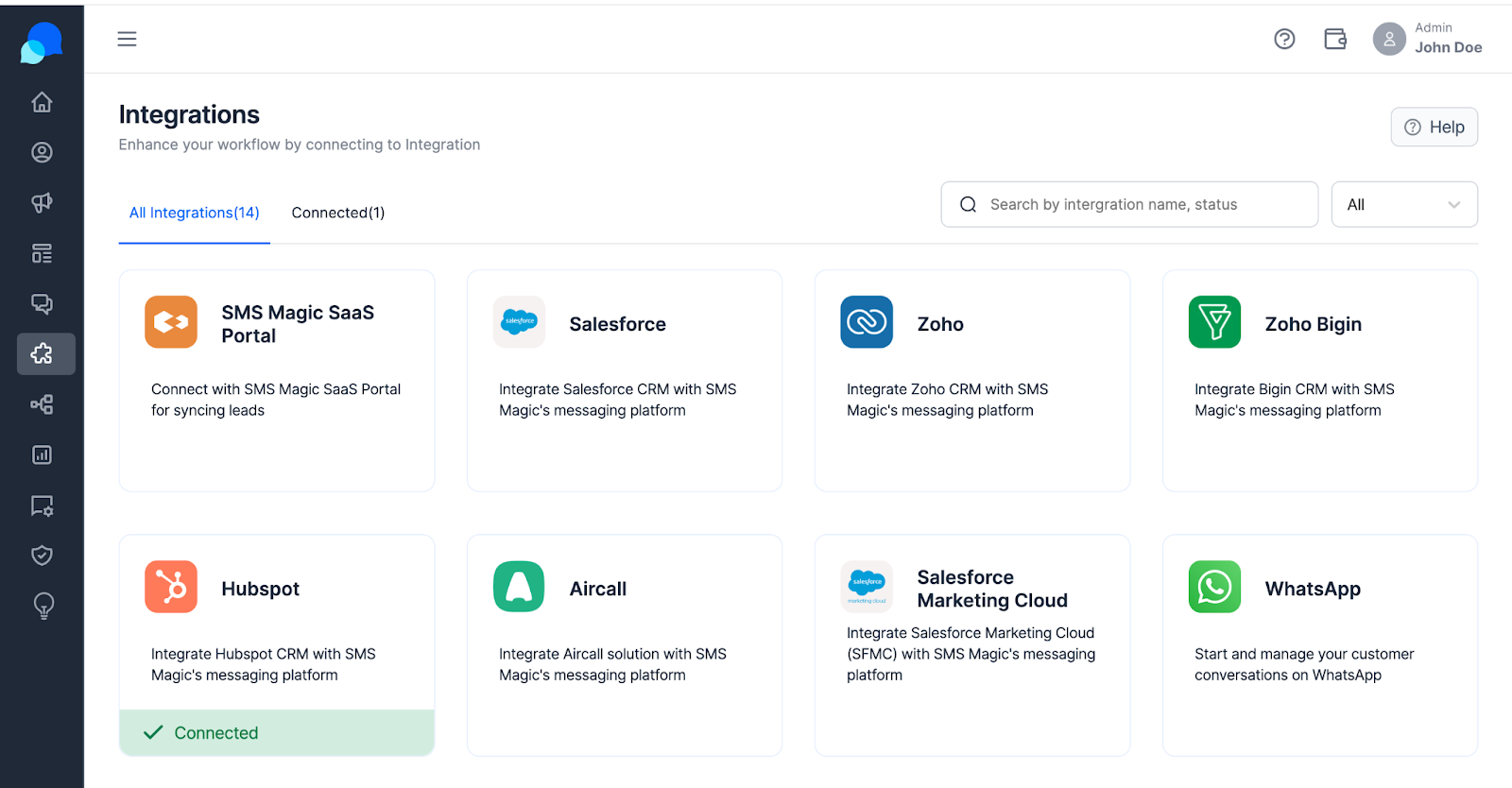
Select your CRM, such as HubSpot, from the list of available integrations.
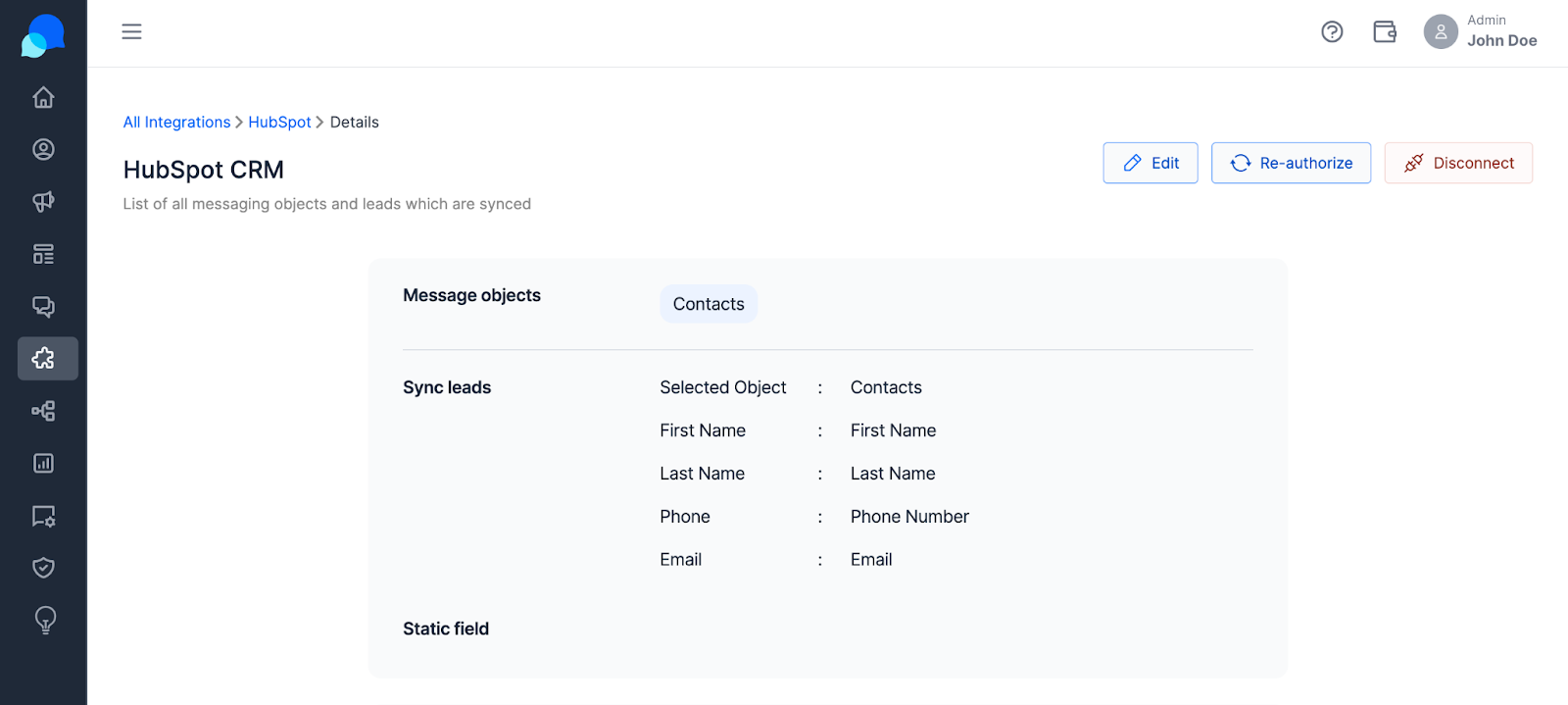
Enable the sync lead option to start the synchronization process. This setting ensures that every piece of information entered into a webform is automatically pushed as a new lead into your CRM.
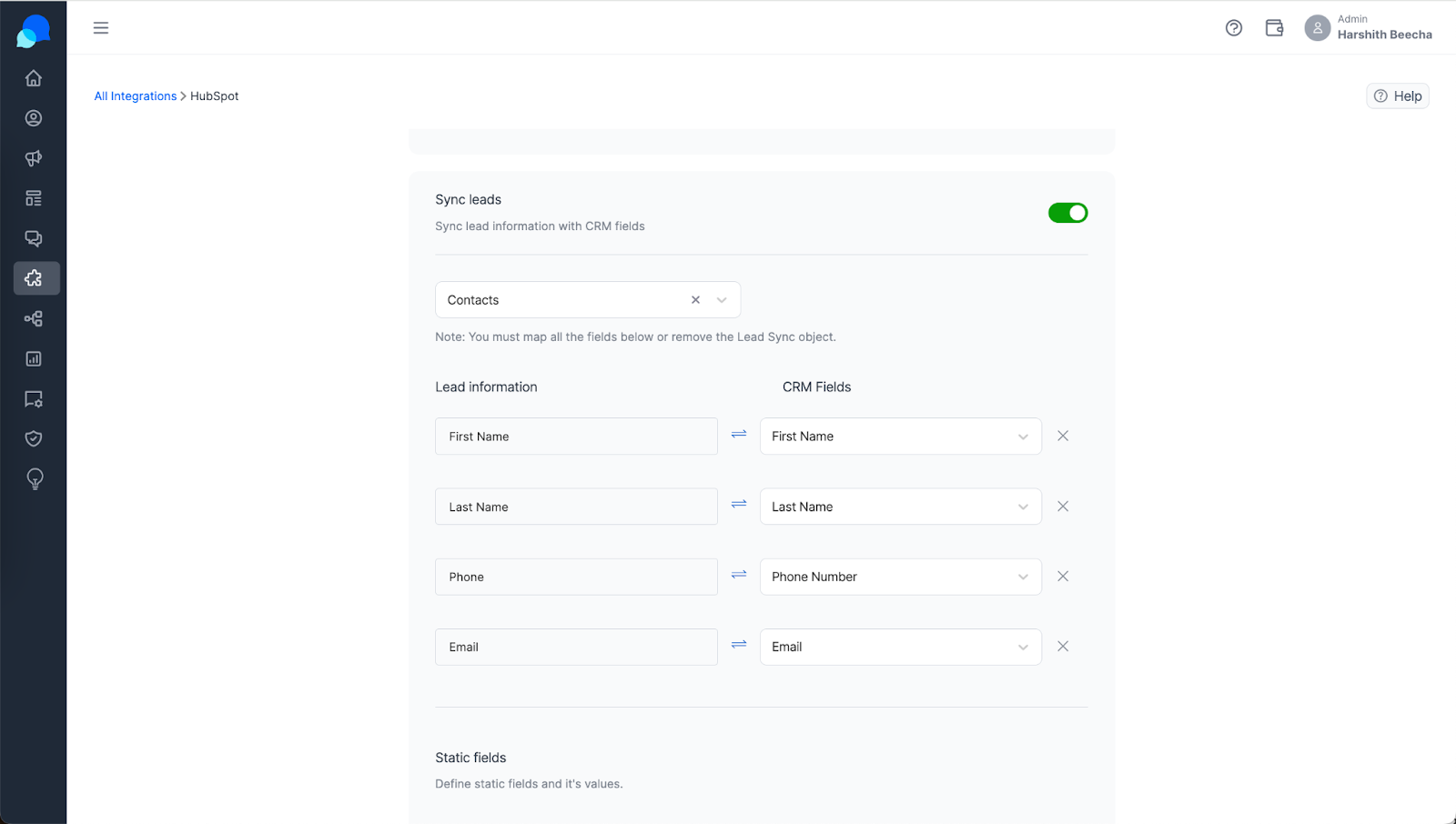
Managing Data Synchronization:
Access the integration settings to view or modify the default data mappings. Adjust these mappings to better fit your CRM’s existing lead management structure.
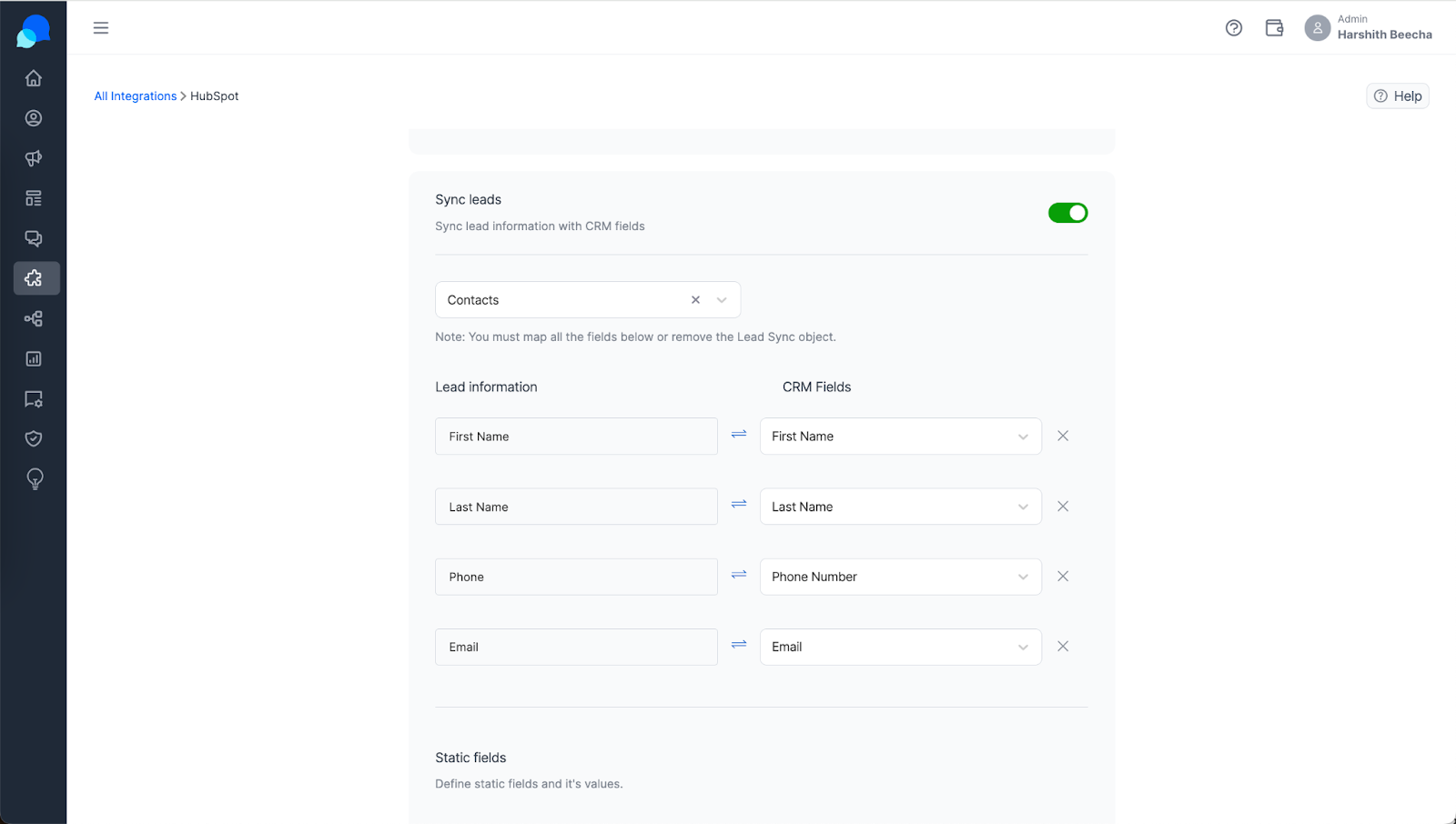
You have the flexibility to enable or disable the syncing of specific data fields based on your business requirements and data handling policies.
Benefits of CRM Synchronization
Real-Time Lead Updates: As soon as a visitor submits information through a webform, their details are captured and immediately updated in your CRM, ensuring no leads are lost.
Efficient Lead Management: Automating the data capture and synchronization process allows your sales team to quickly access new leads and reduces the chances of data errors that can occur with manual entry.
Enhanced Customer Engagement: With immediate access to lead information, your sales and marketing teams can engage potential customers with relevant and timely communications, improving the chances of conversion.
