
The Notification UseCase in Conversive is a predefined automation scenario designed to streamline the process of sending timely and relevant notifications. It allows users to set up and manage a sequence of notifications that are automatically sent to your leads or contacts based on predefined criteria and triggered from your CRM. This use case is ideal for businesses looking to maintain consistent and real-time communication with their audience.
Key Features
Automated Notifications: Send notifications automatically based on user-defined triggers and schedules. You can set up the time in days, hours, or minutes.
Personalization: Customize notifications with dynamic content and merge fields to ensure relevance.
Integration with CRM: Seamlessly integrate with popular CRMs like HubSpot to leverage existing data and triggered via workflows.
Understanding UseCase Automation Template Structure
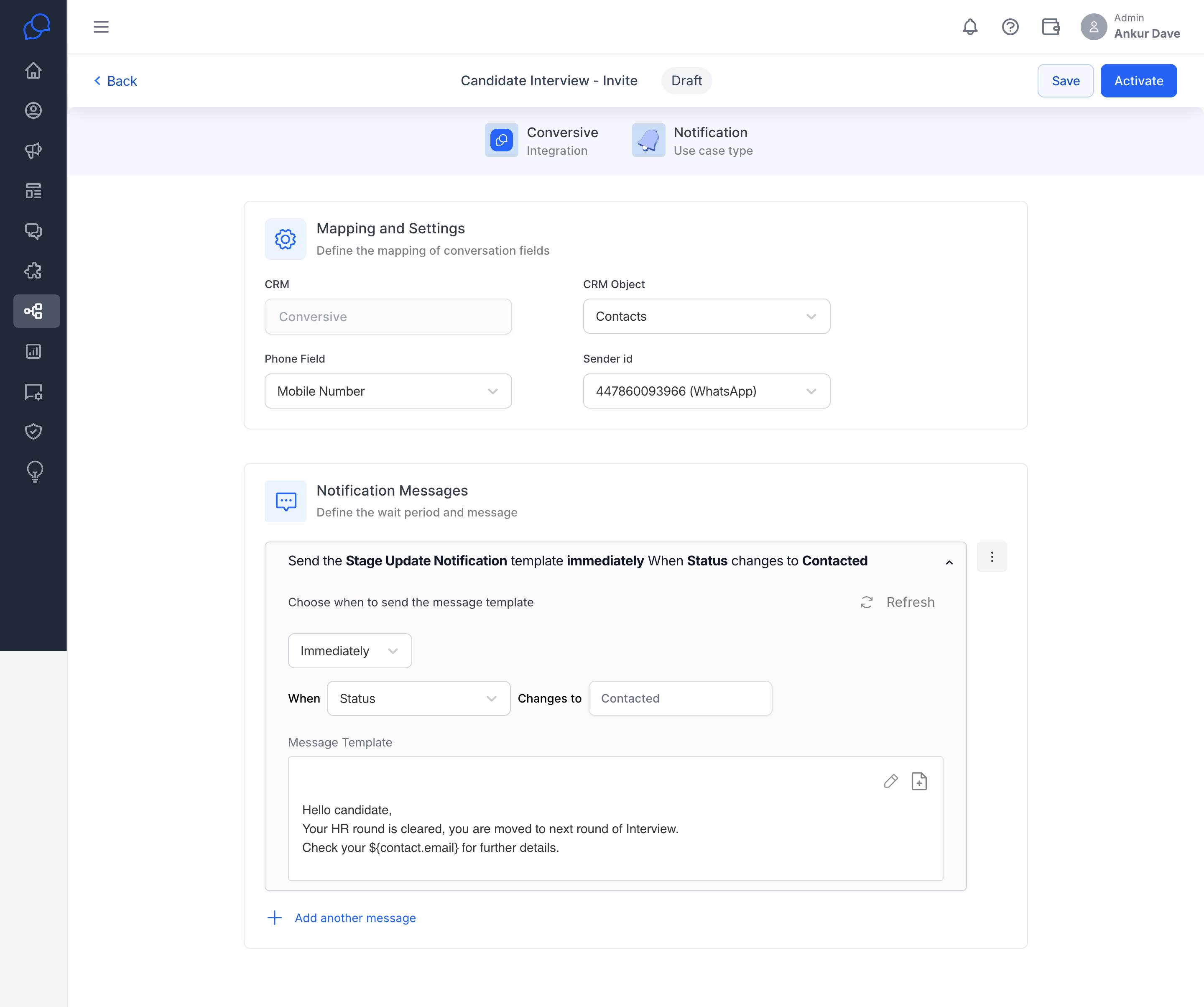
The UseCase Automation Template for Notification campaigns in Conversive is structured to provide a seamless and intuitive setup process. Here's a breakdown of its components:
CRM Integration: Settings to map CRM objects and fields, ensuring seamless data flow and accurate personalization.
Template Name: A descriptive name for the template to easily identify its purpose.
Mapping and Setting: Map your usecase with CRM Object and the respective phone field.
Notification Content: Editable sections for each notification, allowing customization via template management.
Timing and Scheduling: Options to define the delay or specific time for each notification to be sent.
Usecase Reference Key: This key will be used from your CRM to trigger this usecase.
Activity Log: Built-in tracking to monitor usecase activity log.
