
How Does a Recurring Campaign work?
Recurring campaigns help businesses by automating the process of sending regular messages to their audience, ensuring consistent communication without manual intervention. This is especially useful for maintaining customer engagement through scheduled updates, promotions, or reminders. By setting up recurring campaigns, businesses can save time, reduce the chance of missed opportunities, and nurture customer relationships with timely, relevant content. Additionally, it allows for better resource management and increases the overall efficiency of marketing efforts.
This feature is available for users who are in marketer plans and professional Plans
Steps:
Step 1: Navigate to the Campaigns
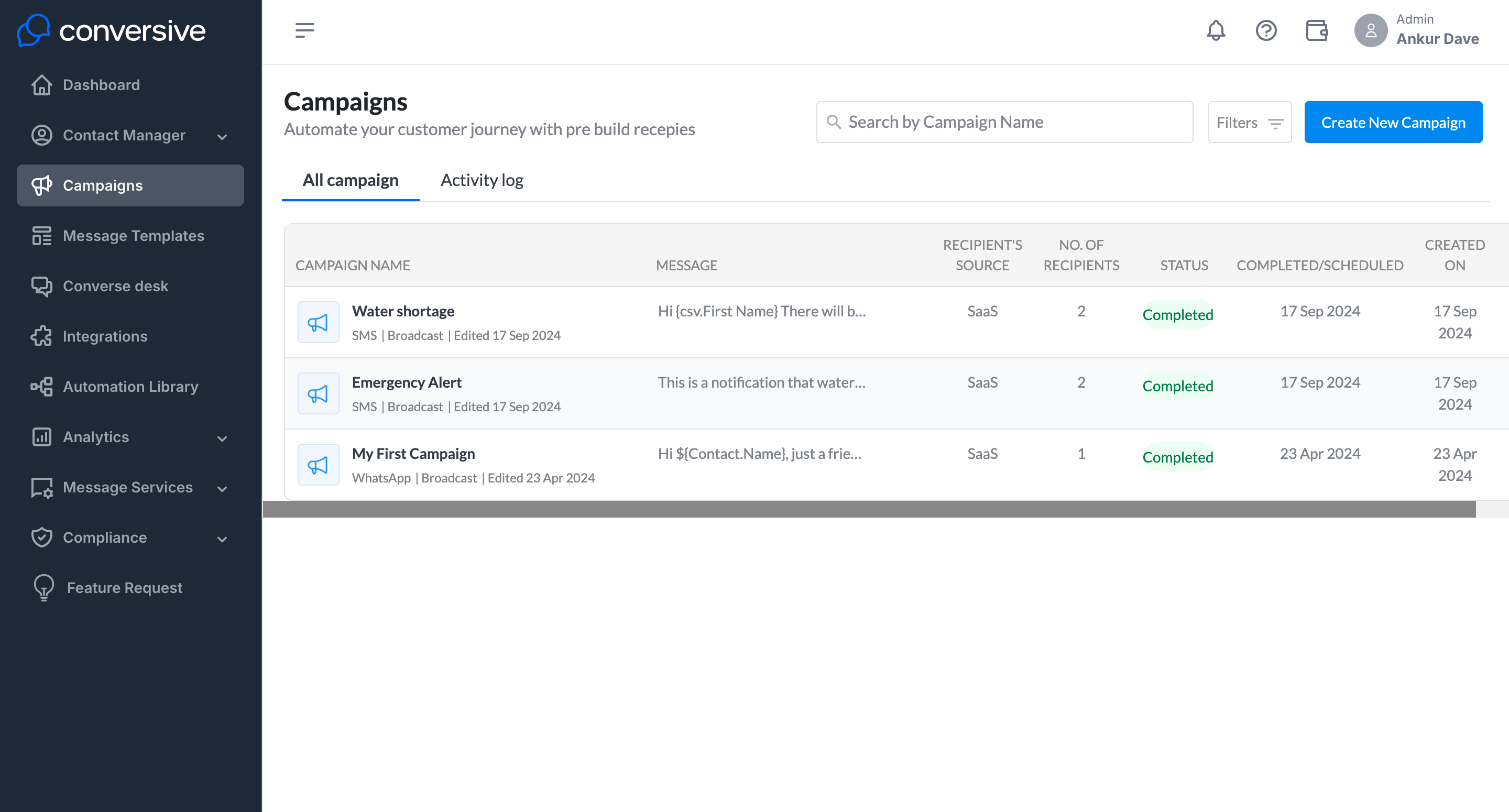
Step 2: Click on Create New Campaign
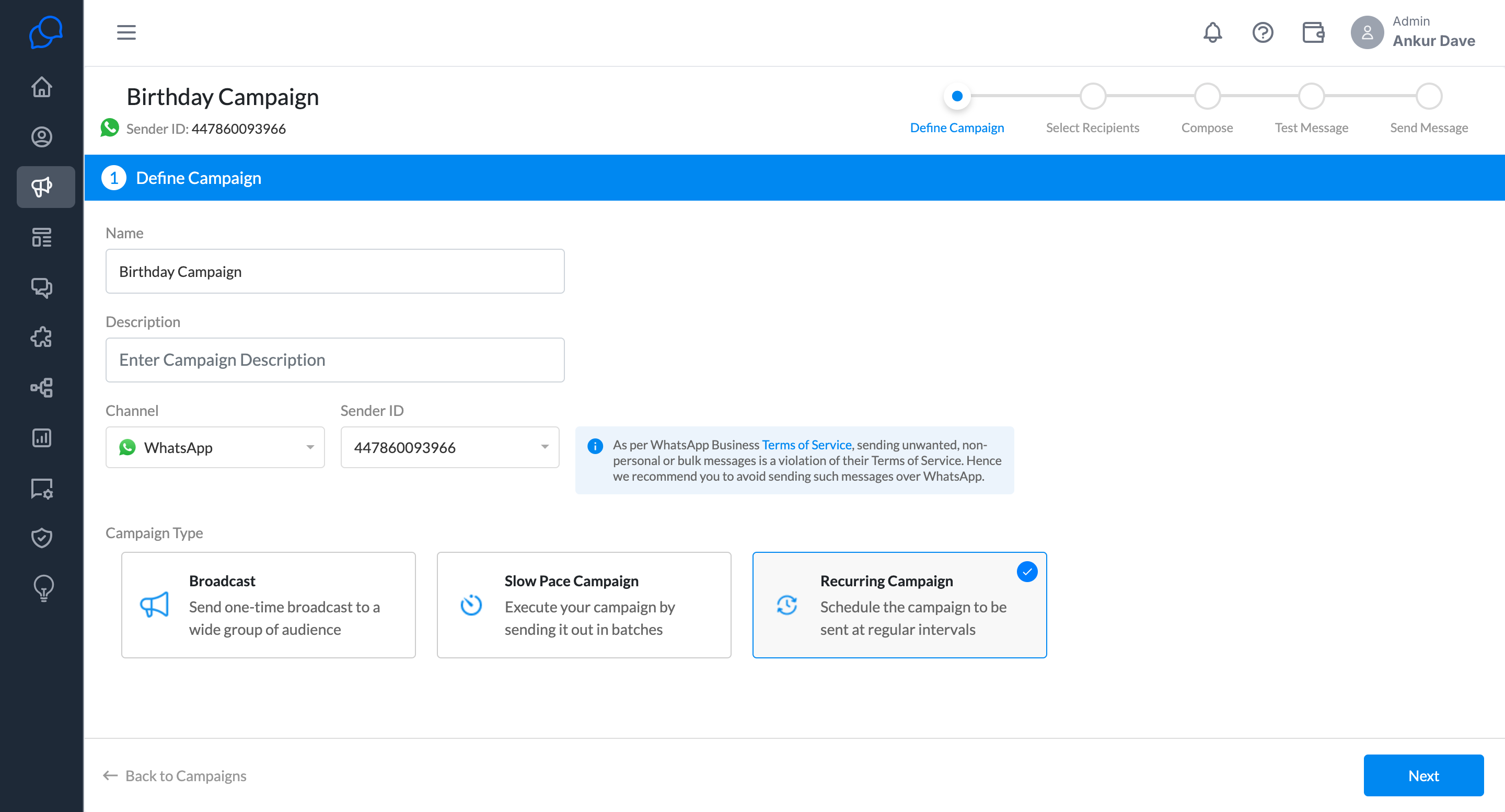
Provide a name for your campaign.
provide description(Optional)
Select the channel
Select the Sender ID
Select Recurring as the campaign type.
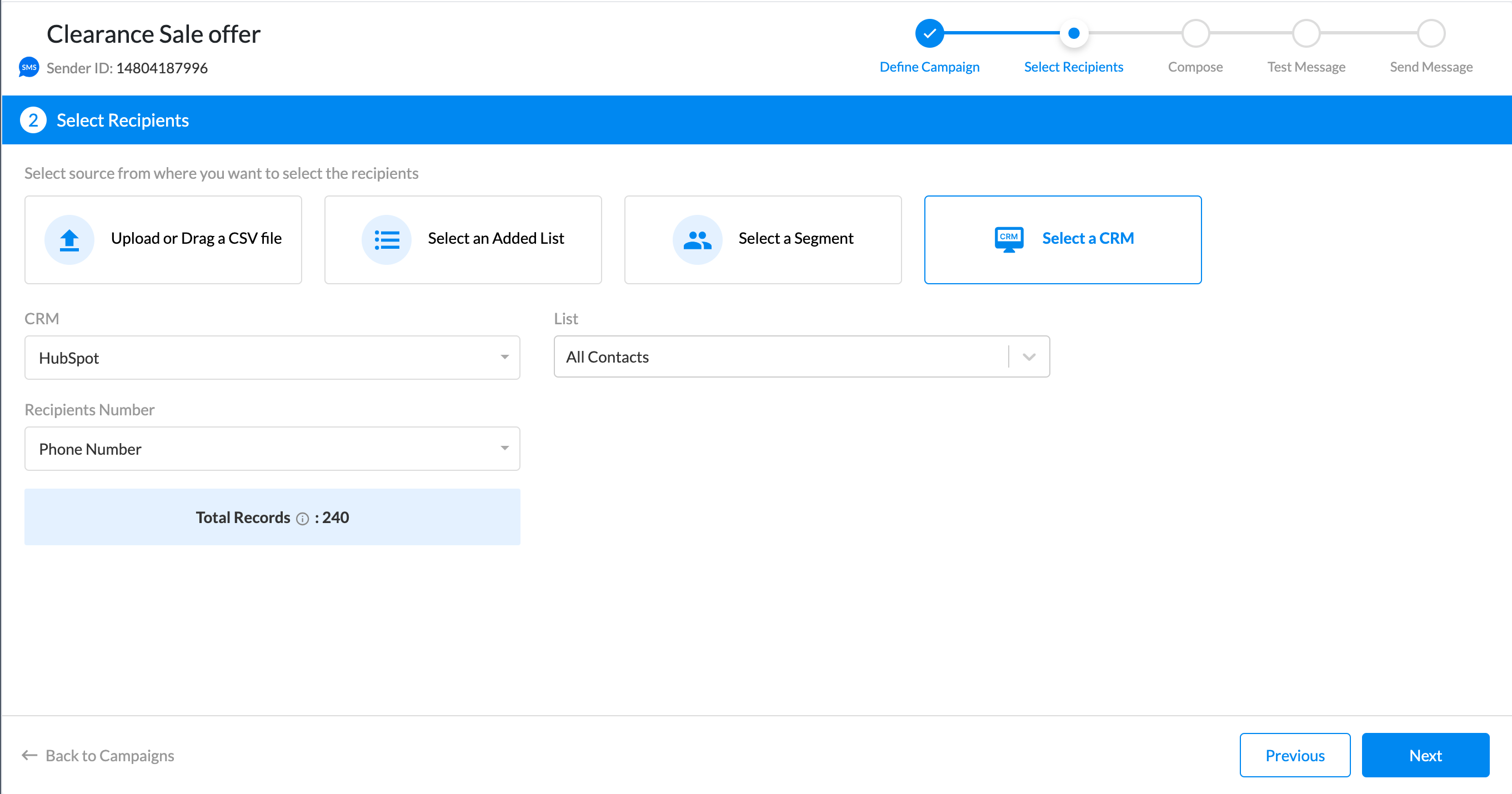
Step 3: Select the Recipients
You can select the recipient from different sources, upload a CSV, and run your campaigns.
Here are the reference documents for using different sources to send a campaign.
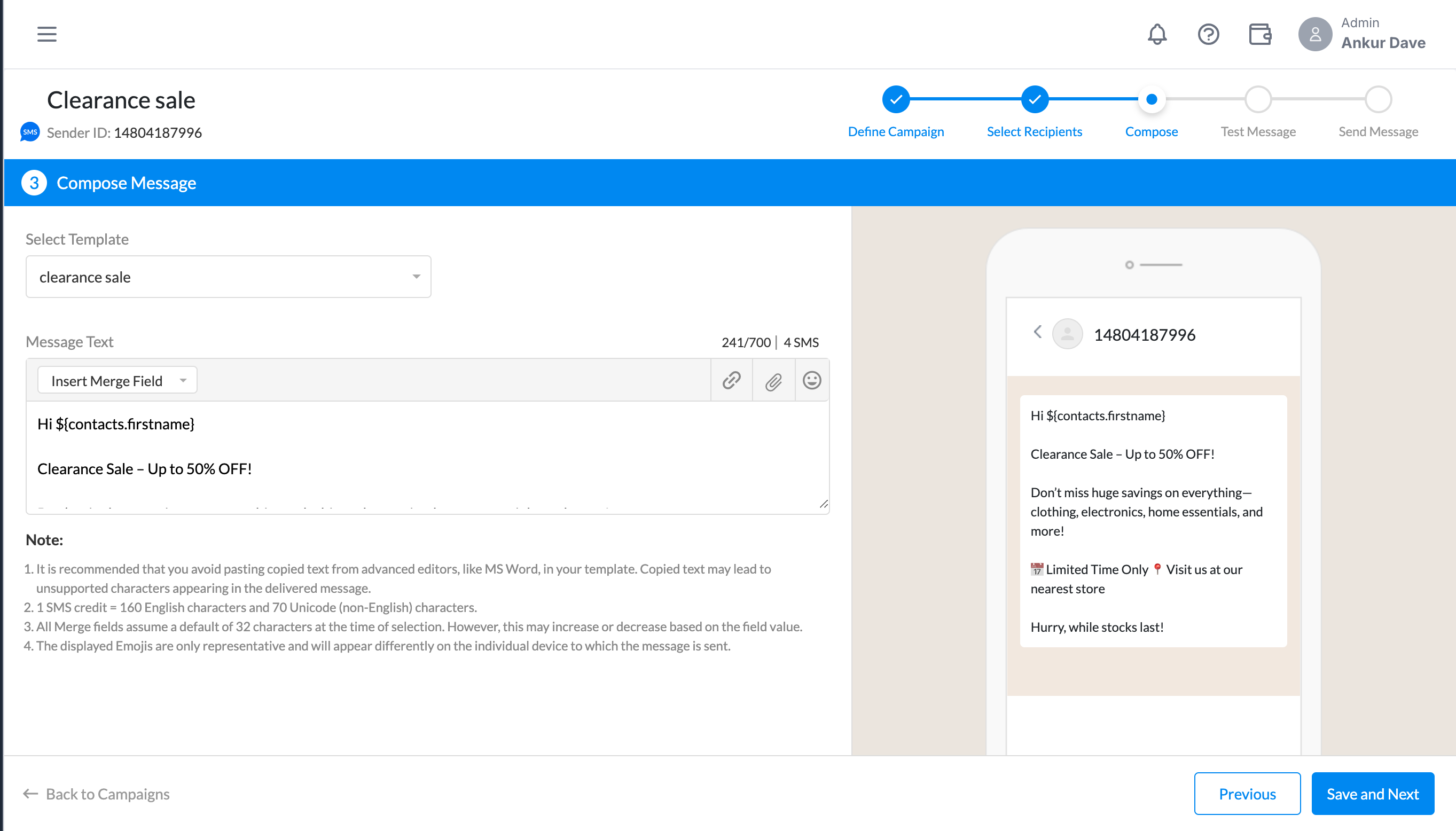
Step 4: Select the template
You can see the message preview here in the message text box.
Step 5: Test your messages before sending out the campaign
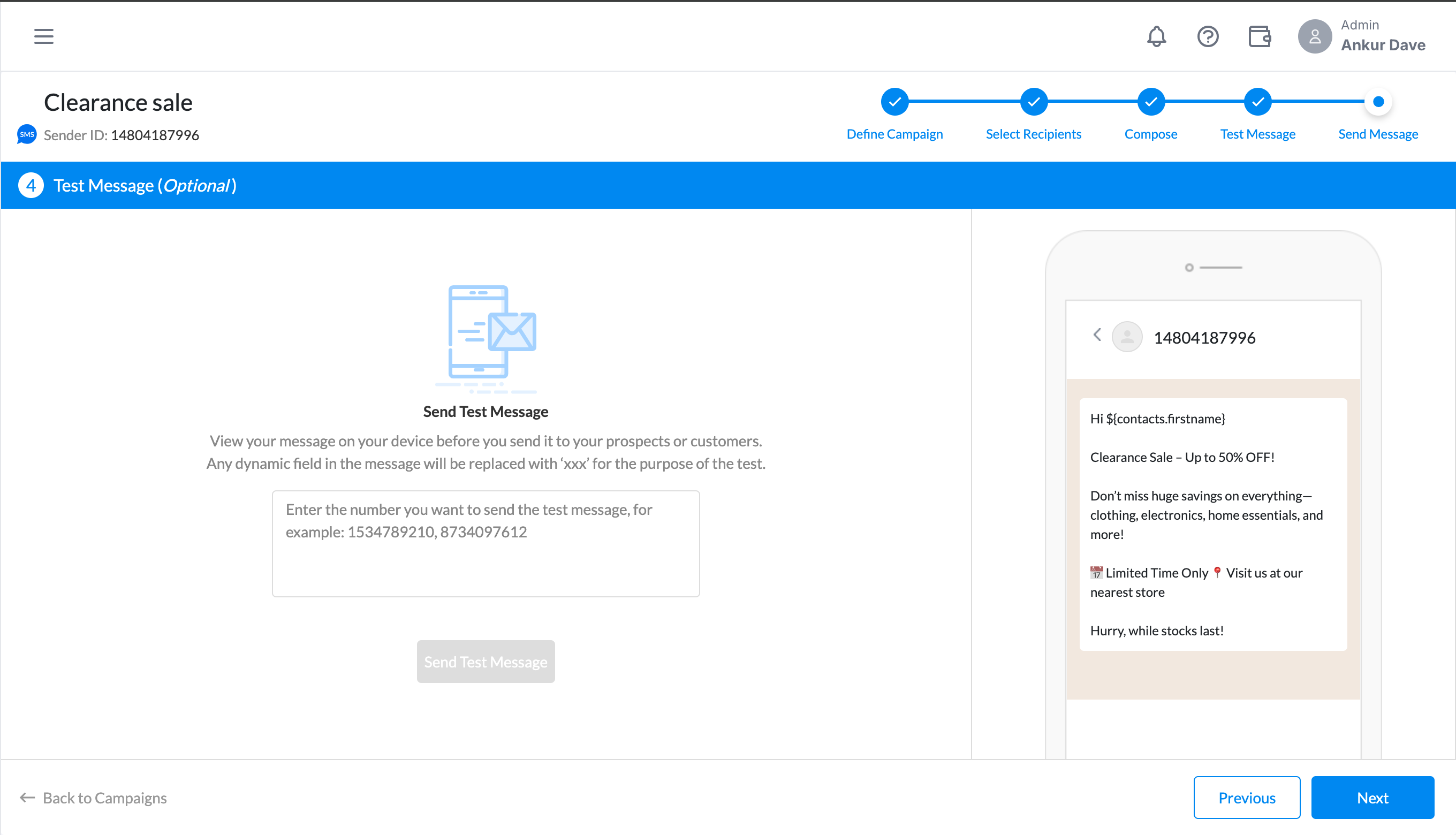
Step 6: Send you the campaign with the required configurations
Select the compliance setting to send to all or opt-in users only.
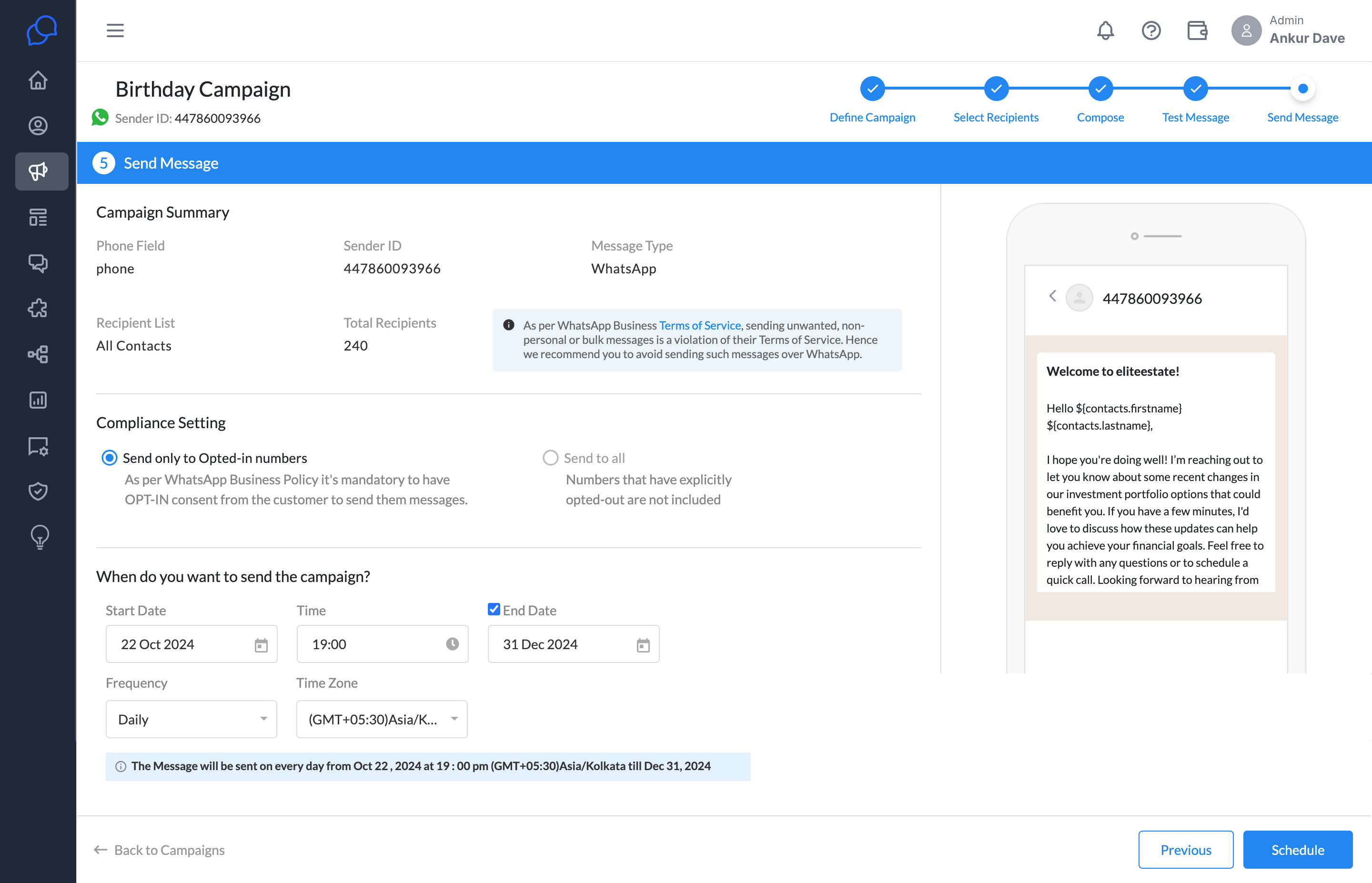
Set the Start Date:
Choose the date when the campaign should start. This means the first message will be sent on this date.
Choose the Time:
Set the time at which the messages will be sent daily. So, all scheduled messages will go out at that exact time each day.
Set the Frequency:
For the recurring aspect, This means the system will send messages daily, from the start date until the end date. Other options could be weekly, monthly, or yearly.
End Date:
The End Date means the campaign will automatically stop on this date. You can enable or disable the end date based on your campaign needs.
Select the Time Zone:
Ensure the correct time zone is selected. So, the campaign will follow this time zone when sending messages.
You can send out the campaign.
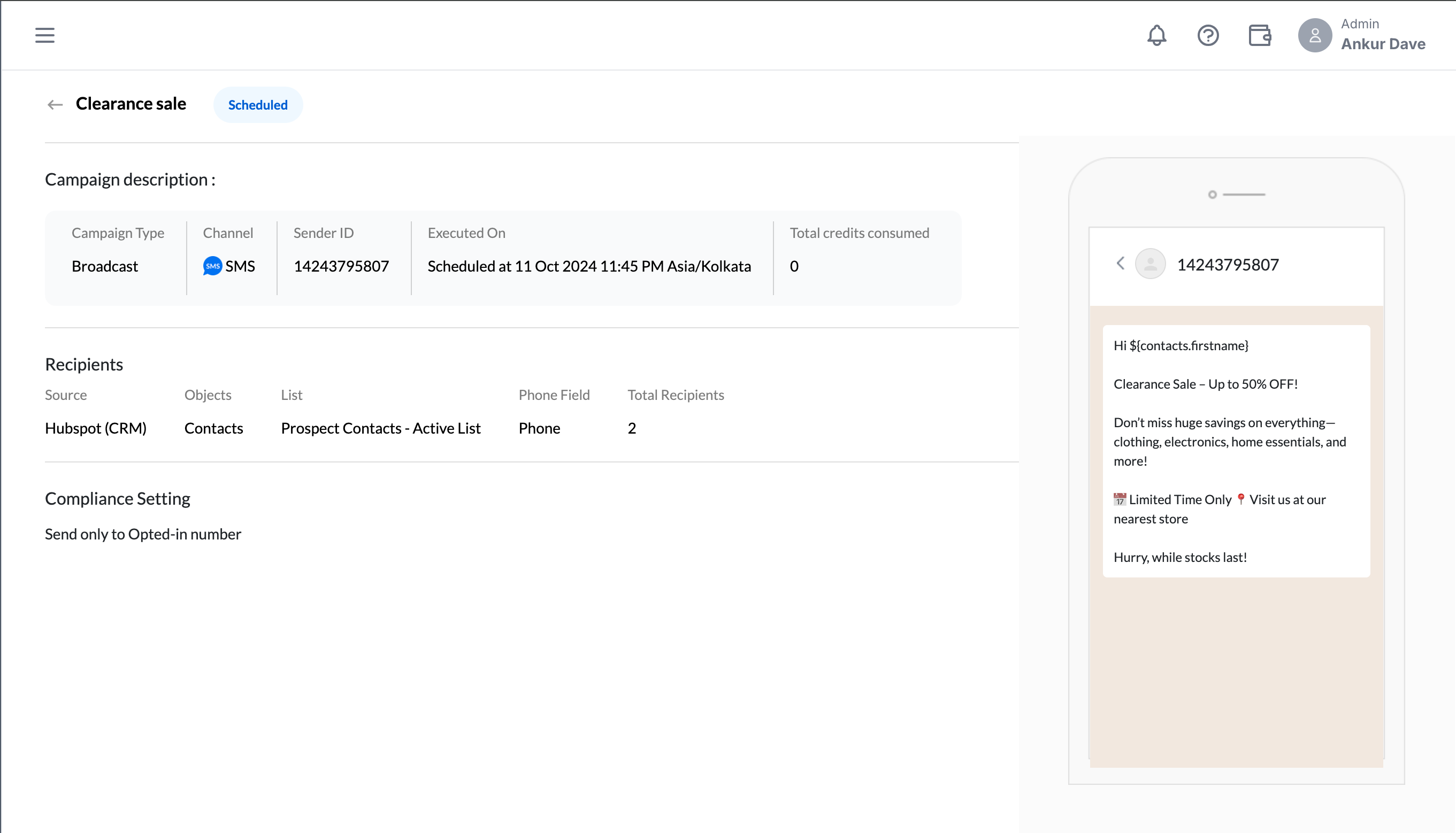
Campaign details
The campaign details offer a comprehensive overview of your campaign, allowing you to access all relevant information about it.
Best Practices:
Test out your message template text before sending it to the user.
Try to send out campaigns to opted-in users for a high delivery success rate.
